BERKELEY SCHOOL OF BUSINESS, ARTS & SCIENCES

Microsoft Copilot

Learn how to use Microsoft Copilot to enhance productivity, automate routine tasks, generate content, analyze data, and streamline business workflows across Microsoft 365 applications using AI-powered assistance.

Microsoft Copilot

Overview

Microsoft Copilot

The Microsoft Copilot program develops practical skills to use AI-powered assistance across Microsoft 365 to improve productivity and business efficiency. Participants learn prompt engineering, document creation, data analysis, presentations, email management, meeting summaries, workflow automation, and responsible AI using Word, Excel, PowerPoint, Outlook, and Teams. Through hands-on exercises, learners gain the confidence to apply Copilot for collaboration, automation, and digital transformation.

Course InformationDetails
Learning ModeOnline / Classroom
Course LevelProfessional
Hands-on ExercisesYes
Applications CoveredWord, Excel, PowerPoint, Outlook, Teams

Offered By

Berkeley School of Business, Arts & Sciences

Vision & Mission

Our vision is to empower professionals and organizations to enhance productivity and innovation through Microsoft Copilot. Our mission is to provide practical training in AI-assisted automation, collaboration, decision-making, and responsible Copilot adoption for modern workplaces.

What is the eligibility?

  • A high school qualification, diploma, bachelor’s degree, or equivalent professional experience is recommended.
  • No prior AI or programming experience is required.
  • Basic computer literacy and familiarity with Microsoft Office applications are recommended.
  • Suitable for business professionals, managers, executives, administrative staff, IT professionals, educators, and entrepreneurs.

Who can do?

Microsoft Copilot
Anyone who is interested to learn about following concepts can pursue
Microsoft Copilot, Microsoft 365 Copilot, AI Productivity, Prompt Engineering, AI Automation, Document Creation, Data Analysis, Presentation Design, Email Management, Workplace Collaboration.
Individuals with the following designations:
Administrative Assistant, Executive Assistant, Office Manager, Business Analyst, Project Manager, Operations Manager, IT Manager, HR Manager, Marketing Manager, Sales Manager, Finance Manager, Team Leader, Executive, Business Owner, Entrepreneur, Consultant, Data Analyst, Educator, Microsoft 365 Administrator, Digital Transformation Manager.

Course Structure

Module 1: Introduction to Microsoft Copilot and AI-Powered Productivity

This module introduces Microsoft Copilot, its AI capabilities, and its role in improving productivity across Microsoft 365 applications. Participants explore core features, business use cases, and best practices for AI-assisted work.

Included

Microsoft Copilot Fundamentals

Included

AI in Microsoft 365

Included

Productivity Enhancement

Included

Business Use Cases

Module 2: Microsoft Copilot for Word and Document Creation

Participants learn how to use Microsoft Copilot to create, edit, summarize, and enhance professional documents while improving writing quality and efficiency.

Included

AI Document Creation

Included

Content Summarization

Included

Professional Writing

Included

Document Editing

Module 3: Microsoft Copilot for Excel and Data Analysis

This module focuses on using Copilot to analyze datasets, generate formulas, build reports, identify trends, and create business insights with Microsoft Excel.

Included

Data Analysis

Included

Formula Generation

Included

Business Reporting

Included

Data Visualization

Module 4: Microsoft Copilot for PowerPoint and Presentations

Participants learn how to create engaging presentations, generate speaker notes, design professional slides, and communicate ideas effectively using AI-powered assistance.

Included

Presentation Design

Included

Slide Generation

Included

Speaker Notes

Included

Visual Storytelling

Module 5: Microsoft Copilot for Outlook and Email Management

This module teaches participants how to manage emails efficiently, draft professional responses, summarize conversations, schedule meetings, and organize communication with Microsoft Copilot.

Included

Email Automation

Included

Smart Replies

Included

Meeting Scheduling

Included

Communication Management

Module 6: Microsoft Copilot for Teams and Workplace Collaboration

This module demonstrates how Microsoft Copilot enhances collaboration through intelligent meeting summaries, task management, real-time communication, and team productivity within Microsoft Teams.

Included

AI Meeting Summaries

Included

Team Collaboration

Included

Task Management

Included

Workplace Communication

Module 7: Prompt Engineering for Microsoft Copilot

Participants learn how to write effective prompts that generate accurate, relevant, and high-quality outputs across Microsoft 365 applications while maximizing Copilot's capabilities.

Included

Prompt Design

Included

Context Management

Included

AI Content Optimization

Included

Prompt Best Practices

Module 8: Business Process Automation with Microsoft Copilot

This module explores how Microsoft Copilot automates routine business tasks, streamlines workflows, improves operational efficiency, and supports digital transformation initiatives.

Included

Workflow Automation

Included

Process Optimization

Included

AI Productivity

Included

Business Automation

Module 9: AI Governance, Security and Responsible Use of Copilot

Participants examine responsible AI practices, data privacy, enterprise security, governance frameworks, and compliance requirements for deploying Microsoft Copilot in business environments.

Included

Responsible AI

Included

Data Security

Included

Governance Frameworks

Included

Compliance and Privacy

Module 10: Capstone Project: Implementing Microsoft Copilot in Business

The final module enables participants to apply their learning by designing and implementing a Microsoft Copilot solution for a real-world business scenario. Learners demonstrate practical skills through a capstone project and final assessment.

Included

Business Solution Design

Included

Copilot Implementation

Included

Capstone Project

Included

Final Assessment

Learning Methodology

Berkeley offers expertly developed learning materials tailored to meet participants' needs, ensuring comprehensive coverage of the syllabus and optimal exam preparation.

‣ Tailored Material: Guides are designed to cover the entire syllabus, offering full preparation and deep understanding.
‣ In-Depth Content: Unlike superficial outlines, our materials provide fully developed theories and concepts, equipping participants with complete knowledge.
‣ Strategic Study: We help participants prioritize study time by indicating the weight of each topic, allowing efficient focus on crucial areas.
‣ Difficulty Levels: Topics are labeled as "Awareness" or "Proficiency," guiding participants to allocate time based on the required depth of knowledge.
‣ Comprehensive Coverage: Our materials include detailed theory and a glossary of technical terms to clarify complex concepts.
‣ Effective Learning Techniques: Visual aids and memorization techniques ensure long-lasting retention, helping candidates succeed.

Berkeley’s methodologies equip participants with the essential knowledge and tools for both exams and future success.

Microsoft Copilot
Lectures

Our lecture plan integrates structured learning with interactive teaching methods, promoting engagement and collaboration. In addition, this approach ensures a comprehensive understanding of concepts, fostering critical thinking and practical application in real-world scenarios

Microsoft Copilot
Practice Session

Practice sessions offer hands-on experience through guided exercises, enhancing skills and reinforcing knowledge. Moreover, this practical approach ensures mastery of concepts, promoting confidence and competence in real-world applications

Microsoft Copilot
Mock Examination

Mock examinations of simulate real test conditions, providing valuable practice and assessment. In addition, this helps identify strengths and weaknesses, ensuring thorough preparation and boosting confidence for actual exams

Berkeley's Performance Standards

Evaluates and ensure the quality of the training program and all its deliverables.  This is measured through the following indicators:
‣ Instructors' experience and style in presenting and explaining topics.
‣ Variety and balance of teaching methods (such as discussions, case studies, mock exams and videos) used in the course to ensure retention and to match the learning objectives.
‣ Level of interactivity.
‣ Feedback from program participants
‣ Full compliance with Institute standards and guidelines for preparation and study requirements and methodology.
‣ Progress reports from the training program provider.

Microsoft Copilot

Success Stories

“As a strong advocate for education and human development, I commend Berkeley for its exceptional commitment to empowering future leaders. The institution stands as a symbol of excellence, innovation, and opportunity. Students who walk its halls are nurtured with knowledge, values, and vision—qualities that contribute to building a stronger and more prosperous future for our nation.”- H.H. Shaikh Khalifa Al Hamid

Visit Our Alumni

Alumni Benefits

‣ Exclusive Networking Events: Access invitations to industry-leading events and thought-leadership gatherings featuring renowned speakers.


‣ Monthly Updates: Stay informed with a newsletter highlighting the latest research, events, and activities from the school.


‣ LinkedIn Community Access: Join the Executive Education LinkedIn group for networking and professional development opportunities.


‣ Educational Discounts: Enjoy a 20% discount on open-enrollment programs and access to workshops focused on emerging trends.


‣ Global Alumni Network: Connect with a diverse alumni community through the Berkeley School’s online network and engage in country and interest groups.

Is It Worth the Investment?

The Microsoft Copilot program is a valuable professional qualification for business professionals, managers, executives, and Microsoft 365 users seeking to enhance productivity, automate workflows, and leverage AI-powered tools in the modern workplace.

UK: £40,000–£90,000+ per year
Middle East: AED 150,000–450,000+ per year
USA: USD 70,000–150,000+ per year
Asia & Africa: Competitive salaries based on experience, industry, organizational size, and expertise in Microsoft 365, AI productivity, and digital workplace solutions.

Microsoft Copilot

Progression Route:

The Microsoft Copilot program prepares professionals for careers in AI-powered productivity, digital transformation, and enterprise technology across a wide range of industries. Graduates can pursue roles such as Microsoft 365 Specialist, Business Analyst, Digital Transformation Manager, Productivity Consultant, IT Administrator, Project Manager, Operations Manager, and AI Adoption Specialist. The program also provides a strong foundation for advanced studies and professional certifications in Artificial Intelligence, Microsoft Azure, Cloud Computing, Data Analytics, Digital Workplace Technologies, and Business Innovation.
To expand your AI productivity skills, you can also explore our Artificial Intelligence (AI) program and Prompt Engineering course. Furthermore, participants learn how Microsoft Copilot integrates with Microsoft 365 applications such as Word, Excel, PowerPoint, Outlook, and Teams to automate tasks, enhance collaboration, and improve workplace productivity. For additional guidance on Microsoft 365 Copilot features and best practices, visit the Microsoft 365 Copilot documentation.

What You Earn

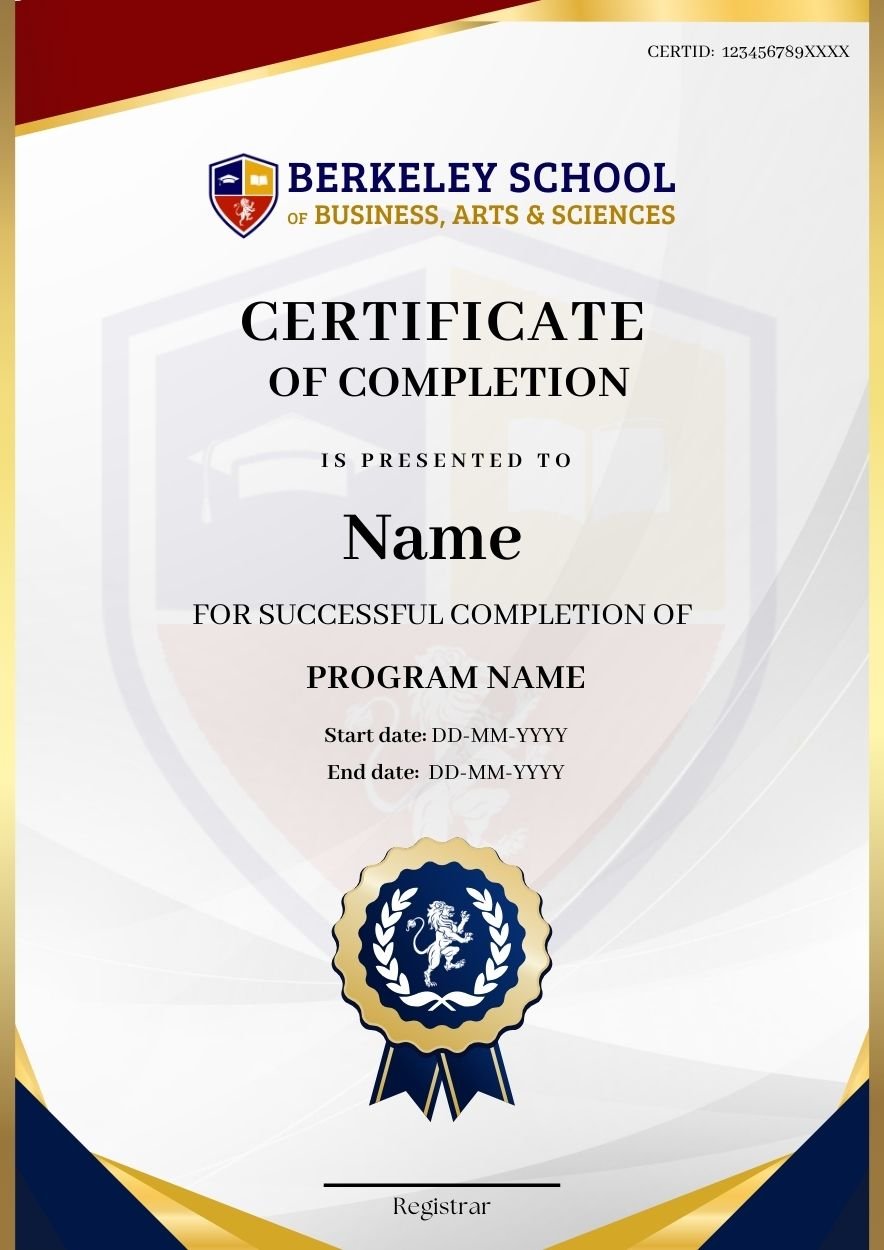
You will get a certificate of completion, which is highly reputed and accepted by employers.

Microsoft Copilot

Microsoft 365 Expertise

Develop practical skills in using Copilot across Word, Excel, PowerPoint, Outlook, and Teams for enhanced collaboration.

Business Innovation

Leverage Microsoft Copilot to enhance decision-making, accelerate digital transformation, and support data-driven business operations.

Career Advancement

Earn an industry-focused qualification that strengthens your expertise in AI productivity tools and modern workplace technologies.

Workflow Automation

Learn to streamline business processes, reduce repetitive work, and improve operational efficiency with AI-powered automation.

Related courses

Microsoft Azure foundation Certification

The Microsoft Azure foundation Certification (AZ-900) is ideal for individuals new to cloud computing and Azure services. This certification provides foundational knowledge of Microsoft Azure. Moreover, it covers cloud concepts, service benefits, and how businesses use Azure to improve operations.

Read More
Certified Microsoft Office Suite

The Certified Microsoft Office Suite program equips individuals with expert-level skills in essential Microsoft applications, including Word, Excel, PowerPoint, Outlook, and Access. Additionally, it validates proficiency in document creation, data management, professional communication, and business productivity tools. As a result, candidates develop job-ready skills that support career opportunities across multiple industries.

Read More
Cloud Collab with OneDrive & SP

This course teaches efficient file management, sharing, and real-time collaboration using OneDrive and SharePoint. Learners gain practical skills for secure cloud storage, document versioning, team site creation, and productivity enhancement across devices and platforms.

Read More
Microsoft Power BI Data Analyst

The Microsoft Power BI Data Analyst training program is designed to teach students how to use Power BI effectively for data analysis, visualization, and reporting. It covers key topics such as connecting to and importing data, querying and transforming data, and creating interactive visualizations. Students also learn how to model data using DAX (Data Analysis Expressions).

Read More

FAQ?

Contact Us 

Cart

Cart (0)