Autodesk Certified Associate in CAM for 2.5 Axis Milling

BERKELEY SCHOOL OF BUSINESS, ARTS & SCIENCES

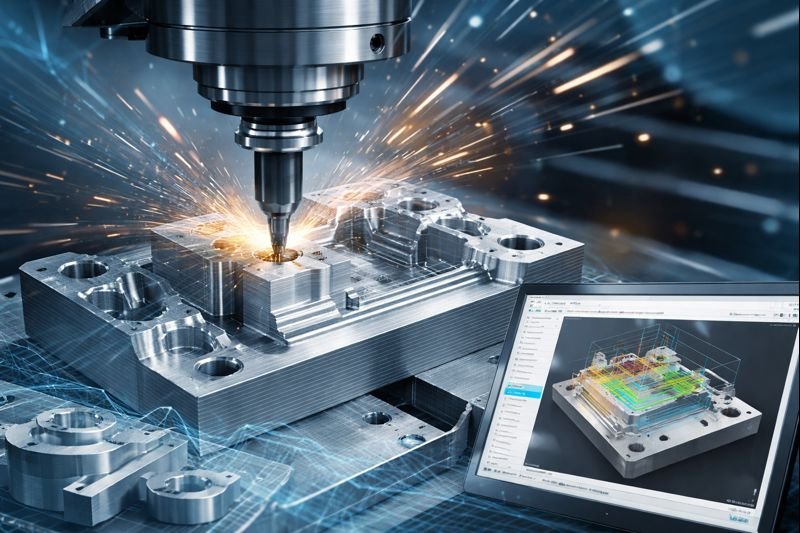
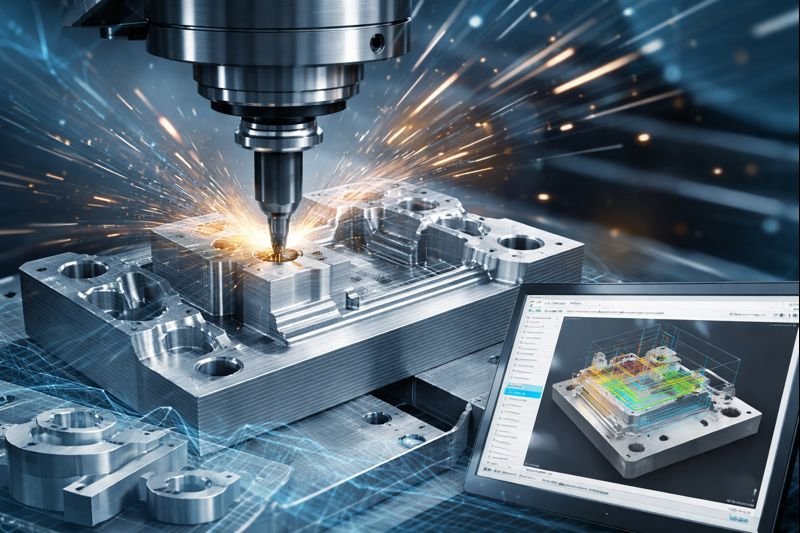
The Autodesk Certified Associate in CAM for Axis Milling validates foundational skills in setting up and generating toolpaths for 2.5-axis and 3-axis milling operations using Autodesk CAM tools.

Overview

The Autodesk Certified Associate in CAM for Axis Milling certification demonstrates a candidate’s ability to prepare machining setups, create milling toolpaths, select cutting tools, define machining parameters, and generate CNC-ready output. It validates core competencies in CAM workflows, part setup, simulation, and basic manufacturing operations required for entry-level CNC machining and digital manufacturing roles.

Offered By

Autodesk, Inc.

Head office

Autodesk, Inc., 111 McInnis Parkway, San Rafael, California, USA


Members

Global Professional Community (Millions+)

What are the Objectives?

To validate foundational skills in CAM axis milling by assessing the ability to create toolpaths, set up machining operations, generate CNC code, and apply efficient manufacturing workflows using Autodesk CAM solutions.

What is the Eligibility?

Individuals with basic knowledge of CNC machining and hands-on experience using Autodesk CAM for 2.5-axis milling operations, including toolpath creation, setup, and basic manufacturing workflows. Suitable for students, entry-level machinists, and manufacturing professionals.


Who can do?
anyone who is interested to learn about following concepts can pursue Autodesk Certified Associate in CAM for 2.5 Axis Milling:
2.5-Axis Milling Toolpaths, CAM Setup and Stock Definition, Tool Selection and Feeds & Speeds, Post Processing and G-code Generation, CNC Machining Workflows.
individuals with the following designations:
CNC Machinists, Manufacturing Technicians, CAM Programmers, Mechanical/CAD Technicians, Entry-Level Manufacturing Engineers.

Course Structure

The preparation course for the Autodesk Certified Associate (ACA) in CAM for 2.5 Axis Milling is structured to provide a comprehensive overview of the skills required for the certification exam through an on-demand, expert-designed curriculum.

Lecture 1: Instructional Methodology

The course is delivered through a variety of learning formats to ensure candidates gain both theoretical knowledge and practical proficiency.
 

Lessons covering fundamental CAM concepts

Practice exercises using Fusion software

Challenge assignments for 2.5 axis milling workflows

Continuous assessments for performance tracking

Practice exam simulating certification environment

Lecture 2: Object Organization

Drawing and organizing objects effectively within the software environment for efficient workflow management.
 

Sketch creation and object structuring

Layer and component organization

File and design hierarchy management

Workspace optimization techniques

Lecture 3: Manufacturing Planning

Learning how to plan efficient and accurate manufacturing processes within CAM workflows.
 

Workflow planning strategies

Material and tool selection

Setup configuration

Process optimization techniques

Lecture 4: Model Preparation

CAD modeling and preparing models specifically for CAM workflows and manufacturing readiness.
 

Model cleanup and validation

Geometry simplification

Setup for machining

File preparation for CAM processing

Lecture 5: CNC Toolpaths

Creating and simulating toolpaths for CNC milling operations using Fusion.
 

Toolpath generation techniques

2.5 axis milling strategies

Simulation and verification

Error detection and correction

Lecture 6: Documentation

Creating the necessary documentation required for setting up and operating a CNC milling machine.
 

Setup sheets and reports

Tool lists and specifications

Machining instructions

Exporting documentation files

Lecture 7: Final Certification Exam

A proctored certification exam designed to evaluate knowledge and technical understanding of CAM workflows without software access.
 

Selected-response question format

Multiple-choice and drag-and-drop questions

Active-screen and UI-based questions

Graphic interpretation and hot-area selection

Exam readiness and preparation guidelines

Lecture Plan

Learning Methodology

Berkeley offers expertly developed learning materials tailored to meet participants' needs, ensuring comprehensive coverage of the syllabus and optimal exam preparation.

‣ Tailored Material: Guides are designed to cover the entire syllabus, offering full preparation and deep understanding.

‣ In-Depth Content: Unlike superficial outlines, our materials provide fully developed theories and concepts, equipping participants with complete knowledge.

‣ Strategic Study: We help participants prioritize study time by indicating the weight of each topic, allowing efficient focus on crucial areas.

‣ Difficulty Levels: Topics are labeled as "Awareness" or "Proficiency," guiding participants to allocate time based on the required depth of knowledge.

‣ Comprehensive Coverage: Our materials include detailed theory and a glossary of technical terms to clarify complex concepts.

‣ Effective Learning Techniques: Visual aids and memorization techniques ensure long-lasting retention, helping candidates succeed.

Berkeley’s methodologies equip participants with the essential knowledge and tools for both exams and future success.

Lecture Image
Lectures

Our lecture plan integrates structured learning with interactive teaching methods, promoting engagement and collaboration. This approach ensures a comprehensive understanding of concepts, fostering critical thinking and practical application in real-world scenarios.

Lecture Image
Practice Session

Practice sessions offer hands-on experience through guided exercises, enhancing skills and reinforcing knowledge. This practical approach ensures mastery of concepts, promoting.

Lecture Image
Mock Examination

Mock examinations simulate real test conditions, providing valuable practice and assessment. This helps identify strengths and weaknesses, ensuring thorough preparation and boosting confidence for actual exams.

Berkeley's performance standards

Evaluates and ensure the quality of the training program and all its deliverables. This is measured through the following indicators:
‣ Instructors' experience and style in presenting and explaining topics.
‣ Variety and balance of teaching methods (such as discussions, case studies, mock exams, and videos) used in the course to ensure retention and to match the learning objectives.
‣ Level of interactivity.
‣ Feedback from program participants.
‣ Full compliance with Institute standards and guidelines for preparation and study requirements and methodology.
‣ Progress reports from the training program provider.

What are the Exam Information?

The Autodesk Certified Associate in CAM for 2.5 Axis Milling exam evaluates a candidate’s ability to create, edit, and generate toolpaths for 2.5-axis milling operations using Autodesk CAM, including setup creation, machining strategies, and CNC output.


Exam Format & Duration

Exam Format:
Associate-level certification exam with scenario-based and multiple-choice questions

Duration:
120 minutes (2 hours)

Exam Dates Description:
Available on-demand year-round through Autodesk authorized testing platforms.

Part/Module Exam Format Exam Duration
Lecture 1: Instructional Methodology

Internal assessments including practical tasks, multiple-choice questions, and scenario-based exercises.


Ongoing assessments throughout the course with a final practice exam of 60 minutes

Lecture 2: Object Organization

Multiple-choice questions with practical object organization tasks.


45 minutes

Lecture 3: Manufacturing Planning

Scenario-based questions and planning exercises.


50 minutes

Lecture 4: Model Preparation

Practical modeling tasks with multiple-choice questions.


50 minutes

Lecture 5: CNC Toolpaths

Hands-on toolpath simulation tasks with MCQs.


60 minutes

Lecture 6: Documentation

Documentation-based tasks with multiple-choice questions.


45 minutes

Lecture 7: Final Certification Exam

Selected-response assessment including multiple-choice, drag-and-drop, active-screen, hot-area, and graphic-interpretation questions.


120 minutes (45–60 questions)

Exam Dates

No fixed deadline, registration available year-round.


Passing Criteria

Passing score determined by Autodesk (scaled scoring system).


Exam Locations

Online with remote proctoring or in-person at authorized Pearson VUE test centers.


Success Stories

“As a strong advocate for education and human development, I commend Berkeley for its exceptional commitment to empowering future leaders. The institution stands as a symbol of excellence, innovation, and opportunity. Students who walk its halls are nurtured with knowledge, values, and vision—qualities that contribute to building a stronger and more prosperous future for our nation.”- H.H. Shaikh Khalifa Al Hamid

Visit our Alumni

Alumni Benefits

‣ Exclusive Networking Events: Access invitations to industry-leading events and thought-leadership gatherings featuring renowned speakers.


‣ Monthly Updates: Stay informed with a newsletter highlighting the latest research, events, and activities from the school.


‣ LinkedIn Community Access: Join the Executive Education LinkedIn group for networking and professional development opportunities.


‣ Educational Discounts: Enjoy a 20% discount on open-enrollment programs and access to workshops focused on emerging trends.


‣ Global Alumni Network: Connect with a diverse alumni community through the Berkeley School’s online network and engage in country and interest groups.

Is It Worth the Investment?

Earning the Autodesk Certified Associate in CAM for 2.5 Axis Milling validates core CNC programming and machining skills, improving job readiness in manufacturing and production environments.

Typical Roles:

CNC Machinist

CAM Programmer (Entry-Level)

Manufacturing Technician

Machine Operator

Production Technician

Career Value:

High demand in manufacturing and machining industries

Improves employability in CNC and CAM-based roles

Builds foundation for advanced CAM certifications

Enhances productivity and machining accuracy

What You Earn

You will get a certificate of completion, which is highly reputed and accepted by employers

Future Trends:

Growing adoption of automation, CNC machining, and digital manufacturing workflows.

Fundamental Knowledge:

Covers toolpaths, 2.5-axis milling operations, setup, and machining fundamentals.

Technical Skills:

Demonstrates proficiency in Autodesk CAM tools, toolpath creation, and machining simulation.

Related courses

Autodesk Certified Associate in CAM for Turning

The Autodesk Certified Associate in CAM for Turning certification validates foundational skills in creating, editing, and managing turning toolpaths using Autodesk CAM for CNC lathe operations.

Read More
Autodesk Certified Professional in Design for Manufacturing

The Autodesk Certified Professional in Design and Manufacturing certification validates advanced skills in product design, manufacturing workflows, and digital prototyping using Autodesk tools, ensuring professionals can deliver efficient, production-ready designs.


Read More
Autodesk Certified Professional in CAM for 3 Axis Milling

The Autodesk Certified Professional – CAM for 3-Axis Milling certification validates advanced skills in preparing, programming, and executing 3-axis milling operations using Autodesk Fusion 360. It demonstrates the ability to create and optimize CAM setups, toolpaths, and manufacturing processes that meet industry standards and support efficient CNC production workflows. 

Read More
Autodesk Certified Expert in CAM for Multi-Axis Milling

The Autodesk Certified Expert in CAM for Multi-Axis Milling certification validates expert-level skills in programming complex multi-axis CNC milling operations, optimizing toolpaths, and producing high-precision manufacturing workflows using Autodesk Fusion 360.

Read More

FAQ: Autodesk Certified Associate in CAM for 2.5 Axis Milling

contact us for more information or to apply for admission. Seats fill up quickly, so we encourage early registration!

Cart

Cart (0)