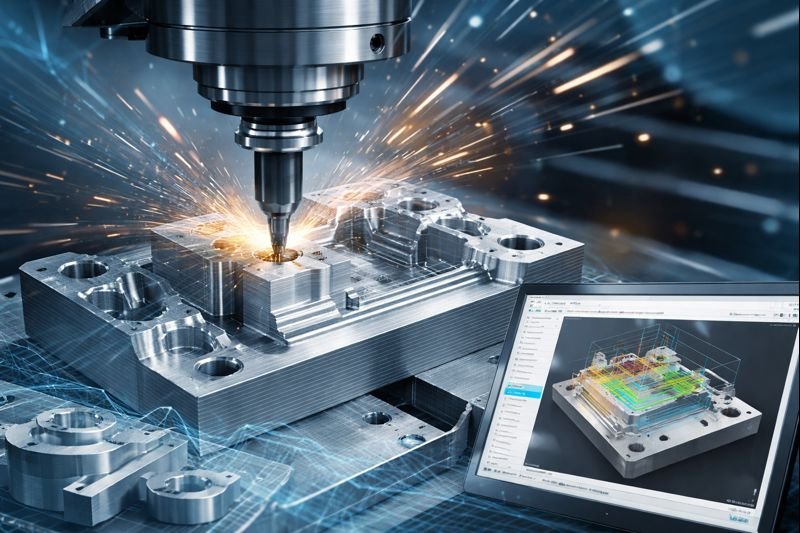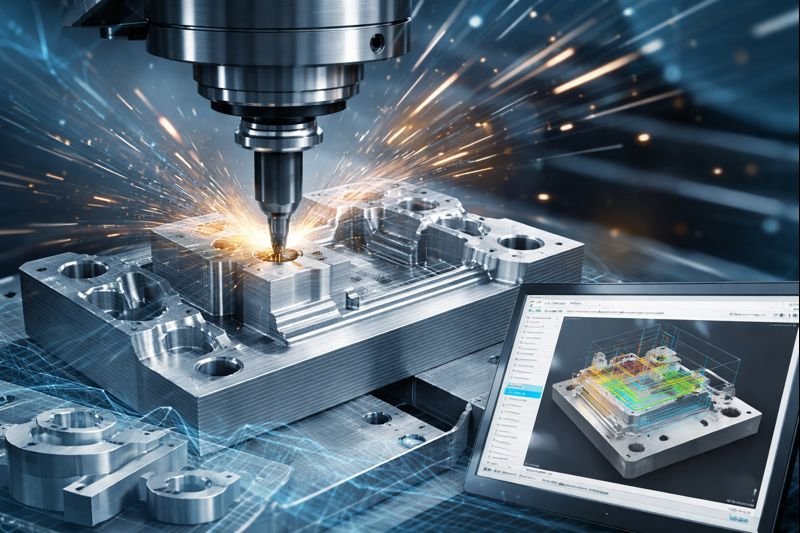
The CAM for 2.5 Axis Milling certification validates practical skills in Autodesk Fusion for CNC milling workflows. Moreover, it demonstrates knowledge of CAM setup, work planning, machine and stock definition, 2.5-axis toolpath creation, optimization, simulation, verification, documentation, and manufacturing output. Furthermore, earning this certification can strengthen professional credibility and demonstrate practical CAM capabilities for modern manufacturing environments. Autodesk Certified Associate in CAM for 2.5 Axis Milling
The CAM for 2.5 Axis Milling certification validates practical expertise in CNC milling workflows using Autodesk Fusion. Moreover, it is designed to demonstrate a candidate's ability to apply CAM principles to real-world manufacturing tasks. Furthermore, candidates develop knowledge of work planning, machine setup, stock definition, and CAM setup. In addition, the certification assesses the creation and optimization of 2.5-axis milling toolpaths for efficient machining operations. Consequently, simulation and verification skills are important for identifying potential machining issues before production. Furthermore, candidates should understand how to document manufacturing processes and prepare appropriate outputs. In addition, practical Autodesk Fusion experience can help candidates apply these concepts effectively. Therefore, the certification provides a structured way to demonstrate foundational CAM and CNC milling capabilities. Moreover, it can strengthen professional credibility for individuals pursuing careers in manufacturing, engineering, and CNC programming. Finally, the credential can support continued professional development toward more advanced CAM and digital manufacturing roles.
| Certification Detail | Information |
|---|---|
| Certification Name | Autodesk Certified Associate in CAM for 2.5 Axis Milling |
| Focus Area | CAM for 2.5 Axis Milling |
| Software | Autodesk Fusion |
| Certification Level | Associate |
| Core Skills | Work planning, CAM setup, machine and stock definition, toolpath creation, optimization, simulation, verification, documentation, and output |
| Manufacturing Focus | CNC milling and 2.5-axis machining |
| Recommended Experience | Practical Autodesk Fusion experience is recommended |
| Exam Duration | 120 minutes |
| Questions | Approximately 45–60 questions |
| Exam Delivery | Pearson VUE Testing Center or Pearson OnVUE |
| Credential | Autodesk Certified Associate |
| Career Relevance | CNC programming, CAM, manufacturing, engineering, and digital manufacturing |
San Francisco, California, United States
Autodesk serves a global community of designers, engineers, architects, manufacturers, construction professionals, and media and entertainment professionals who use Autodesk software and technologies.
The vision of the CAM for 2.5 Axis Milling certification is to develop capable manufacturing professionals who can confidently apply modern CAM technologies to accurate, efficient, and digitally driven CNC milling operations. Moreover, it encourages practical expertise in Autodesk Fusion, precision machining, process optimization, and continuous technical development. Its mission, therefore, is to validate essential competencies in CAM setup, machine and stock definition, 2.5-axis toolpath creation, simulation, verification, optimization, and manufacturing documentation. Furthermore, the certification helps candidates demonstrate industry-relevant CAM skills and build a strong professional foundation for careers in CNC programming, manufacturing engineering, and digital manufacturing.
The preparation course for the Autodesk Certified Associate (ACA) in CAM for 2.5 Axis Milling is structured to provide a comprehensive overview of the skills required for the certification exam through an on-demand, expert-designed curriculum.
The course is delivered through a variety of learning formats to ensure candidates gain both theoretical knowledge and practical proficiency.
Lessons covering fundamental CAM concepts
Practice exercises using Fusion software
Challenge assignments for 2.5 axis milling workflows
Continuous assessments for performance tracking
Practice exam simulating certification environment
Drawing and organizing objects effectively within the software environment for efficient workflow management.
Sketch creation and object structuring
Layer and component organization
File and design hierarchy management
Workspace optimization techniques
Learning how to plan efficient and accurate manufacturing processes within CAM workflows.
Workflow planning strategies
Material and tool selection
Setup configuration
Process optimization techniques
CAD modeling and preparing models specifically for CAM workflows and manufacturing readiness.
Model cleanup and validation
Geometry simplification
Setup for machining
File preparation for CAM processing
Creating and simulating toolpaths for CNC milling operations using Fusion.
Toolpath generation techniques
2.5 axis milling strategies
Simulation and verification
Error detection and correction
Creating the necessary documentation required for setting up and operating a CNC milling machine.
Setup sheets and reports
Tool lists and specifications
Machining instructions
Exporting documentation files
A proctored certification exam designed to evaluate knowledge and technical understanding of CAM workflows without software access.
Selected-response question format
Multiple-choice and drag-and-drop questions
Active-screen and UI-based questions
Graphic interpretation and hot-area selection
Exam readiness and preparation guidelines
Berkeley offers expertly developed learning materials tailored to meet participants' needs, ensuring comprehensive coverage of the syllabus and optimal exam preparation.
‣ Tailored Material: Guides are designed to cover the entire syllabus, offering full preparation and deep understanding.
‣ In-Depth Content: Unlike superficial outlines, our materials provide fully developed theories and concepts, equipping participants with complete knowledge.
‣ Strategic Study: We help participants prioritize study time by indicating the weight of each topic, allowing efficient focus on crucial areas.
‣ Difficulty Levels: Topics are labeled as "Awareness" or "Proficiency," guiding participants to allocate time based on the required depth of knowledge.
‣ Comprehensive Coverage: Our materials include detailed theory and a glossary of technical terms to clarify complex concepts.
‣ Effective Learning Techniques: Visual aids and memorization techniques ensure long-lasting retention, helping candidates succeed.
Berkeley’s methodologies equip participants with the essential knowledge and tools for both exams and future success.
Our lecture plan integrates structured learning with interactive teaching methods, promoting engagement and collaboration. This approach ensures a comprehensive understanding of concepts, fostering critical thinking and practical application in real-world scenarios.
Practice sessions offer hands-on experience through guided exercises, enhancing skills and reinforcing knowledge. This practical approach ensures mastery of concepts, promoting.
Mock examinations simulate real test conditions, providing valuable practice and assessment. This helps identify strengths and weaknesses, ensuring thorough preparation and boosting confidence for actual exams.
Evaluates and ensure the quality of the training program and all its deliverables. This is measured through the following indicators:
‣ Instructors' experience and style in presenting and explaining topics.
‣ Variety and balance of teaching methods (such as discussions, case studies, mock exams, and videos) used in the course to ensure retention and to match the learning objectives.
‣ Level of interactivity.
‣ Feedback from program participants.
‣ Full compliance with Institute standards and guidelines for preparation and study requirements and methodology.
‣ Progress reports from the training program provider.
The Autodesk Certified Associate in CAM for 2.5 Axis Milling exam evaluates practical knowledge of CNC milling and CAM workflows using Autodesk Fusion. Moreover, candidates are assessed on work planning, CAM setup, machine and stock definition, 2.5-axis toolpath creation, optimization, simulation, verification, documentation, and output. The exam contains 45–60 questions and allows 120 minutes for completion. Furthermore, candidates can take the exam at a Pearson VUE Testing Center or online through Pearson OnVUE. Official Autodesk Certification Page
| Part/Module | Exam Format | Exam Duration |
|---|---|---|
|
Module 1: Instructional Methodology
|
Internal assessments including practical tasks, multiple-choice questions, and scenario-based exercises.
|
Ongoing assessments throughout the course with a final practice exam of 60 minutes |
|
Module 2: Object Organization
|
Multiple-choice questions with practical object organization tasks.
|
45 minutes |
|
Module 3: Manufacturing Planning
|
Scenario-based questions and planning exercises.
|
50 minutes |
|
Module 4: Model Preparation
|
Practical modeling tasks with multiple-choice questions.
|
50 minutes |
|
Module 5: CNC Toolpaths
|
Hands-on toolpath simulation tasks with MCQs.
|
60 minutes |
|
Module 6: Documentation
|
Documentation-based tasks with multiple-choice questions.
|
45 minutes |
|
Module 7: Final Certification Exam
|
Selected-response assessment including multiple-choice, drag-and-drop, active-screen, hot-area, and graphic-interpretation questions.
|
120 minutes (45–60 questions) |
The Autodesk Certified Associate in CAM for 2.5 Axis Milling exam does not have fixed annual exam dates. Instead, candidates can schedule an appointment based on available dates and times through their Autodesk Certification account and Pearson VUE.
There is no fixed annual registration deadline for the Autodesk Certified Associate in CAM for 2.5 Axis Milling exam. Candidates can schedule an exam appointment based on available Pearson VUE appointments.
The Autodesk Certified Associate in CAM for 2.5 Axis Milling exam is available through two testing options:
“As a strong advocate for education and human development, I commend Berkeley for its exceptional commitment to empowering future leaders. The institution stands as a symbol of excellence, innovation, and opportunity. Students who walk its halls are nurtured with knowledge, values, and vision—qualities that contribute to building a stronger and more prosperous future for our nation.”- H.H. Shaikh Khalifa Al Hamid
Alumni Benefits
‣ Exclusive Networking Events: Access invitations to industry-leading events and thought-leadership gatherings featuring renowned speakers.
‣ Monthly Updates: Stay informed with a newsletter highlighting the latest research, events, and activities from the school.
‣ LinkedIn Community Access: Join the Executive Education LinkedIn group for networking and professional development opportunities.
‣ Educational Discounts: Enjoy a 20% discount on open-enrollment programs and access to workshops focused on emerging trends.
‣ Global Alumni Network: Connect with a diverse alumni community through the Berkeley School’s online network and engage in country and interest groups.
The Autodesk Certified Associate in CAM for 2.5 Axis Milling validates practical skills in Autodesk Fusion, CNC milling, CAM setup, toolpath creation, optimization, simulation, verification, and manufacturing output. Moreover, it strengthens professional credibility and supports career progression into roles such as CAM Programmer, CNC Programmer, CNC Machinist, Manufacturing Engineer, CNC Milling Specialist, and CAD/CAM Specialist.
Potential Career Earnings After Certification:
The CAM for 2.5 Axis Milling certification provides a foundation in CNC milling and Autodesk Fusion CAM workflows. After completing it, learners can develop advanced CAM and CNC programming skills through Autodesk Fusion. Furthermore, they can progress toward the Autodesk Certified Professional pathway and pursue roles such as CAM Programmer, CNC Programmer, CNC Machinist, Manufacturing Engineer, CNC Milling Specialist, or CAD/CAM Specialist. With further experience and professional development, candidates can advance into Senior CAM Programmer, Manufacturing Engineer, or Digital Manufacturing Specialist positions. Learners can also explore the CAM for 2.5 Axis Milling course, Autodesk Certified Associate in CAM for Turning, Autodesk Certified Professional in Design for Manufacturing and Autodesk Certified Professional in CAM for 3 Axis Milling for continued development.
You will get a certificate of completion, which is highly reputed and accepted by employers
Growing adoption of automation, CNC machining, and digital manufacturing workflows.
Covers toolpaths, 2.5-axis milling operations, setup, and machining fundamentals.
Demonstrates proficiency in Autodesk CAM tools, toolpath creation, and machining simulation.
Contact Us